

10 years ago, in a social work conference exhibition hall, a Cengage representative first convinced me to try MindTap. Not only was this a step toward overcoming my ambivalence about using technology as a teaching tool, but it’s also one of the best decisions I’ve made. In higher education, working smarter, not harder, is the goal, especially as responsibilities outside the classroom increase in demand.
As I navigated new challenges and progressed in my career, I saw firsthand the advantages of technology and MindTap. And today, my students continue to reap and experience the benefits. Every time Cengage iterates on their technology, I am impressed and driven to improve my own technological understanding. In this article, I’ll be discussing my favorite MindTap feature: Helper Studio.
What I love about MindTap Courses for Social Work
Cengage’s Learning Platform, MindTap, helps simplify my teaching. Specifically, MindTap Courses for Social Work introduce students to a variety of exercises designed to enhance comprehension and support subject mastery. Activities like case studies, videos, real-world vignettes, and learning objective-aligned quizzes are all built to drive topic interest and understanding, while sharpening critical career-ready skills.
Assignments in MindTap are one of the two primary tools that I use for teaching and learning in all my courses. Since social work is an accredited profession, certain criteria must be met within the curriculum to align with those accreditation standards.
My overall goal is to equip students with application preparedness, or career-readiness skills, rather than with simple memorization. This is where MindTap shines. With MindTap, I can pick and choose what I want from a vast library of versatile and major-aligned exercises, activities, case scenarios, and reflective activities. I get to strategically tailor the assignments to the expectations of the course and to the accrediting body’s EPAS standards.
My favorite MindTap feature: Helper Studio
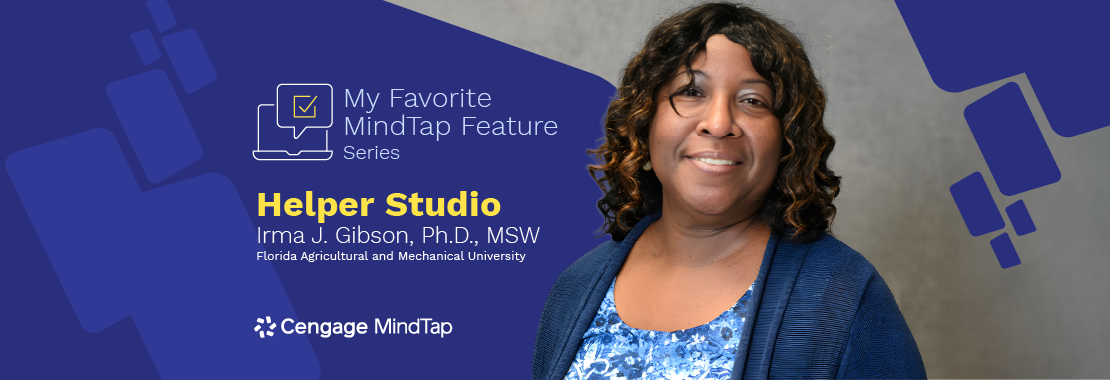
My favorite feature in my MindTap Courses for Social Work is Helper Studio. Helper Studio, powered by Bongo, allows students to listen to and watch real-world, in-practice scenarios aligned to each chapter’s learning objectives. Students can interact with a virtual client as if they were working in-service, record responses to key scenarios, and receive instant AI-powered feedback in key areas like delivery, clarity and speed. There are also options for peer- and instructor-review.
This tool allows me to uniquely address key competencies and behaviors of any given learning objective, and provides students with pre-service and in-service practice, as well as immediate feedback to support growth and mastery.
Leveraging Helper Studio in my 21st Century Digital Capstone course
Despite having taught interviewing and recording courses for many years, I only recently thought to reconfigure my use of MindTap in my 21st Century Digital Capstone course to further cement comprehension and experience. With Helper Studio, students can use the learning objectives from each chapter to practice and refine their in-service skills in preparation for day-one service.
Students are required to complete the Helper’s Studio video exercises, reflect on the questions posed for each vignette and record a 5–10-minute video summary of their real-world responses. There are three different phases of the interview process. Each is aligned with a Helper Studio assignment that addresses the learning objective aligned with the phase of the interview process.
The impact on my students
The feedback from students has been overwhelmingly positive as they connect the dots of the interview process in a practical, hands-on way. Helper Studio’s AI feedback on students’ video-interview recordings has been incredibly valuable in enhancing their comprehension. Students use the AI-based data visualization and simulation tools to perfect interviewing and recording dynamics. Simultaneously, students can examine the ethical implications of AI in both the educational process and their future career paths.
When combined with my passionate teaching style, using Helper Studio has led to in-depth discussions among my students, as well as a level of excitement and motivation that’s been missing from the course for some time.
Written by Irma J. Gibson, Ph.D., MSW, Associate Professor at Florida Agricultural and Mechanical University.
